






Calculators:
Hacker Simulator
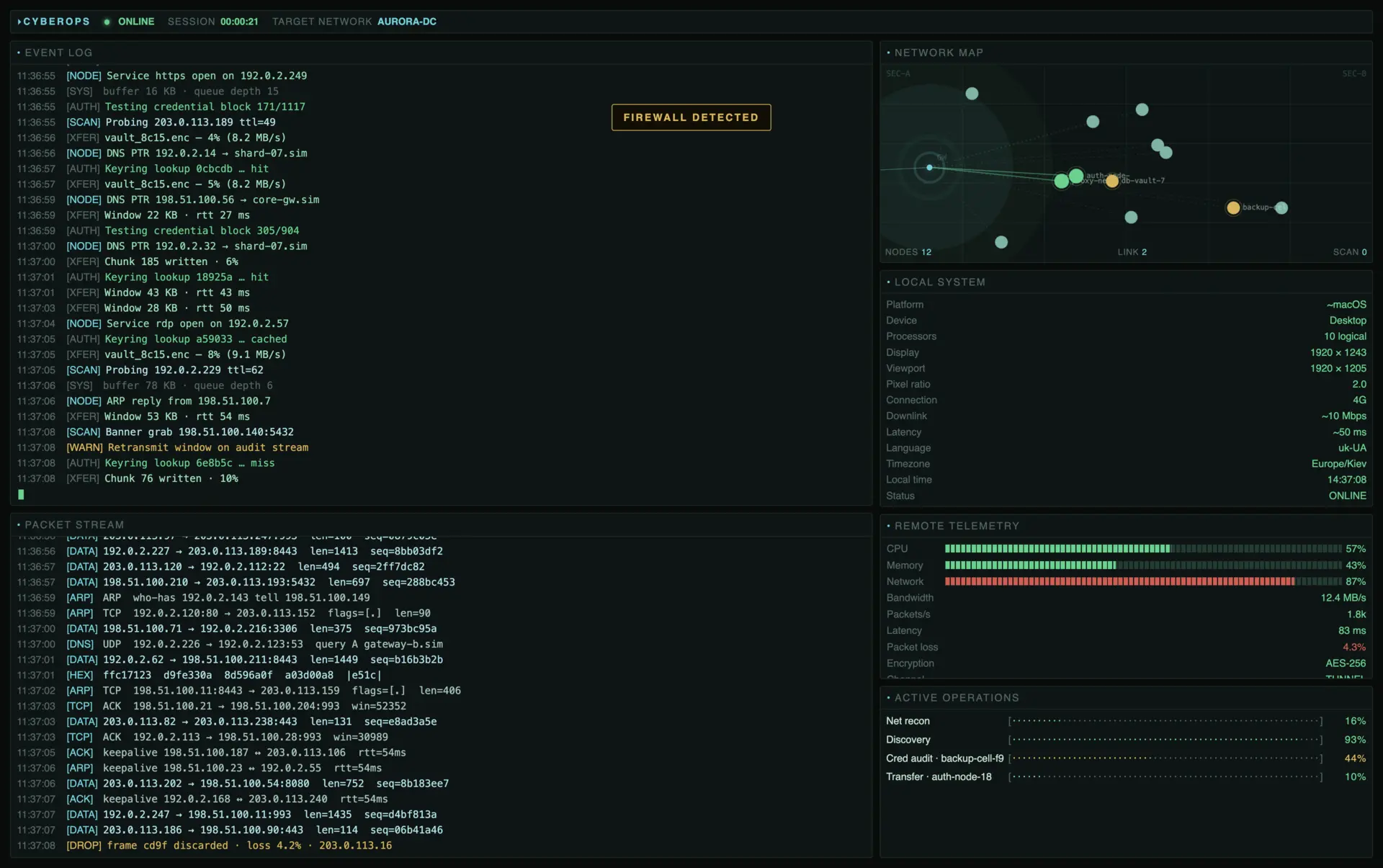
EVENT LOG
PACKET STREAM
NETWORK MAP
NODES 0LINK 0SCAN 0
LOCAL SYSTEM
REMOTE TELEMETRY
ACTIVE OPERATIONS
People use Hacker Simulator for:
Online Hacker Simulator — Hands-Free Fake Console
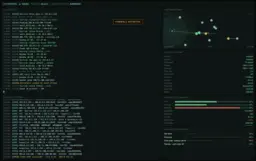
Open a live-looking cyber ops console in one tab: scrolling event log, packet stream, radar-style network map, and active operations bars. Unlike Hacker Typer, you do not type — the session runs on its own. Fullscreen for the strongest prank or stream backdrop.
Hacker Prank Simulator for Offices and Shared Screens
Leave Hacker Simulator fullscreen on a laptop, TV, or second monitor. Friends see continuous “ops” activity and a network map without a keyboard mash. Reveal the joke quickly. Pair with Broken Screen or Hacker Typer from the gallery when you want a second beat.
Fake Hacking Simulator for Streams and Sketches
Streamers and creators can use the console as a geek backdrop. Multi-process jobs, telemetry bars, and packet lines read as a busy command center on camera — clearer than a single scrolling code wall when you need “ops room” energy.
Hacker Simulator vs Hacker Typer
Need code that appears as you type? Use Hacker Typer at /hacker-screen/. Want a self-running fake hacking simulator with map + logs + jobs? This page is built for that intent — including searches like online hacker simulator and hacker prank simulator.
Safe Demo Look for Classrooms and Talks
Show what a dramatic “hacker screen” looks like without implying real intrusion. Say clearly it is fiction. Local System can spark a short discussion about what a browser can actually know; everything labeled remote stays fake.
Film, Props, and Tech Event Atmosphere
Put the simulator fullscreen on a monitor for cyberpunk scenes, booth loops, or conference ambience. Logs and the network map hold up on camera better than a static wallpaper, and you never need a second laptop running real tools.
FAQ
What is an online hacker simulator?
This Hacker Simulator is a free browser page that looks like a live cyber operations console: event log, packet stream, network map, telemetry, and active jobs. Everything remote is fictional. Enter fullscreen for the full effect — no download or account.
Is this the same as Hacker Typer?
No. Hacker Typer (/hacker-screen/) dumps code as you press keys. Hacker Simulator runs by itself as a multi-panel ops console with a network map and logs. If you wanted the classic typing prank, use Hacker Typer; if you want a hands-free fake command center, stay here.
Is the hacking real?
No. No networks are scanned, no systems are accessed, and no data is stolen. Labels like remote telemetry and packet captures are simulated for entertainment. The Local System panel only shows harmless facts your browser already knows (online status, language, screen size).
How do I use Hacker Simulator for a prank?
Open this page, click fullscreen, and leave the console running on a shared screen. It looks busy and “technical” without anyone typing. Keep the joke light and reveal it before anyone worries. For a follow-up, open Hacker Typer and start mashing keys.
Does it work on phone or tablet?
Yes. The layout adapts in fullscreen. Desktop gives the fullest multi-panel view; on smaller screens some panels stack or hide so the map and logs stay readable.
Is hacker simulator free and unblocked?
Yes — free in the browser with no install. School or work filters vary by network; if a page is blocked, that is your network policy, not a paywall on this tool.
See what Hacker Simulator actually looks like